Understanding Income Tax Slabs: A Simple Breakdown for Everyone
By: Compiled from various sources | Published on Dec 19,2025
Category Intermediate
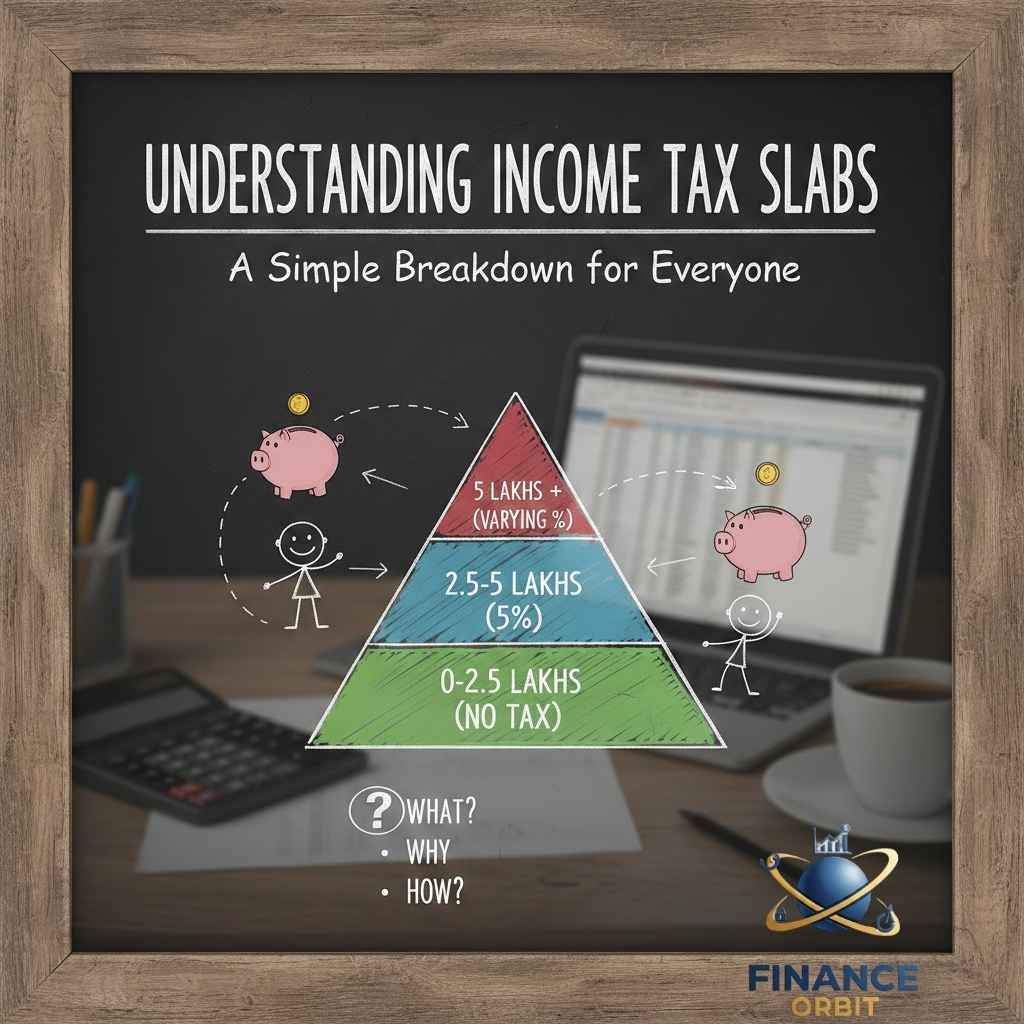
Description: Master income tax slabs with this simple guide. Understand how tax brackets work, calculate your tax liability, choose the right regime, and legally minimize your tax burden.
I overpaid ₹28,000 in taxes my first year of earning because I didn't understand how tax slabs work.
It was 2016. I'd just started my first job earning ₹6 lakhs annually. When tax season arrived, a well-meaning colleague told me, "You're in the 20% tax bracket, so you'll pay 20% of ₹6 lakhs—that's ₹1.2 lakhs in taxes."
I panicked. ₹1.2 lakhs seemed like an enormous amount. But I dutifully filed without understanding the calculations, paying whatever the system computed.
A year later, a different colleague mentioned their tax liability and the number seemed much lower than mine despite similar incomes. Confused, I asked how that was possible.
That's when they explained something that changed my understanding completely: "Tax slabs don't work the way you think. You don't pay 20% on your entire income—you pay different rates on different portions."
They walked me through the actual calculation. My real tax liability should have been around ₹32,000—not the ₹60,000+ I'd somehow ended up paying because I'd made errors in my return and failed to claim legitimate deductions.
I'd overpaid by ₹28,000 because I fundamentally misunderstood how progressive taxation works.
That expensive lesson forced me to learn exactly how income tax slabs function—not through confusing tax code language, but through simple examples and clear calculations. Once I understood the system:
- Reduced my tax liability by ₹40,000+ annually through legal deductions
- Chose the optimal tax regime for my situation
- Stopped living in fear of tax season
- Helped family and friends understand their own taxes
The knowledge didn't make me a tax expert—but it prevented expensive mistakes and unnecessary overpayment.
Today, I'm explaining income tax slabs in the simplest possible terms—with clear examples, actual calculations, and practical guidance that helps you understand exactly how much tax you'll pay and how to optimize it legally.
Because here's the uncomfortable truth: most people pay more tax than necessary simply because they don't understand how the system works. The government won't tell you you're overpaying—knowledge is your only protection.
Let's master tax slabs once and for all.
What Are Income Tax Slabs? (The Foundation)
Income tax slabs are ranges of income taxed at different rates—the more you earn, the higher the rate on additional earnings (but not on your entire income).
The Core Concept: Progressive Taxation
Progressive taxation means: As your income increases, you pay increasingly higher rates on the additional income—but only on that additional portion, not on everything.
This is NOT how it works:
- Earn ₹10 lakhs → Fall in 30% bracket → Pay 30% on entire ₹10 lakhs = ₹3 lakhs
This IS how it works:
- Earn ₹10 lakhs → Pay different rates on different portions:
- 0% on first ₹3 lakhs
- 5% on next ₹3 lakhs
- 10% on next ₹3 lakhs
- 15% on remaining ₹1 lakh
- Total tax: Much less than ₹3 lakhs
Why this matters: Understanding this prevents the panic and confusion most people feel about tax brackets.
The New Tax Regime (Default from FY 2023-24)
The government introduced a new tax regime with lower rates but fewer deductions. It's now the default unless you explicitly choose the old regime.
New Tax Regime Slabs (FY 2023-24 onwards)
| Income Range | Tax Rate |
|---|---|
| Up to ₹3,00,000 | 0% (Nil) |
| ₹3,00,001 - ₹6,00,000 | 5% |
| ₹6,00,001 - ₹9,00,000 | 10% |
| ₹9,00,001 - ₹12,00,000 | 15% |
| ₹12,00,001 - ₹15,00,000 | 20% |
| Above ₹15,00,000 | 30% |
Key features:
- Lower tax rates than old regime
- Very few deductions allowed (only standard deduction of ₹50,000)
- No deductions for 80C, 80D, HRA, home loan interest, etc.
- Standard deduction of ₹50,000 available
- Rebate under Section 87A: If income up to ₹7 lakhs, no tax payable
Calculating Tax Under New Regime
Example 1: Income ₹8 lakhs annually
Step 1: Calculate gross total income
- Salary: ₹8,00,000
- Less: Standard deduction: ₹50,000
- Net taxable income: ₹7,50,000
Step 2: Apply tax slabs
- First ₹3,00,000: 0% = ₹0
- Next ₹3,00,000 (₹3-6 lakhs): 5% = ₹15,000
- Next ₹1,50,000 (₹6-7.5 lakhs): 10% = ₹15,000
- Total tax before cess: ₹30,000
Step 3: Add 4% cess
- ₹30,000 × 4% = ₹1,200
- Total tax liability: ₹31,200
Example 2: Income ₹12 lakhs annually
Step 1: Calculate net taxable income
- Salary: ₹12,00,000
- Less: Standard deduction: ₹50,000
- Net taxable income: ₹11,50,000
Step 2: Apply tax slabs
- First ₹3,00,000: 0% = ₹0
- Next ₹3,00,000 (₹3-6 lakhs): 5% = ₹15,000
- Next ₹3,00,000 (₹6-9 lakhs): 10% = ₹30,000
- Next ₹2,50,000 (₹9-11.5 lakhs): 15% = ₹37,500
- Total tax before cess: ₹82,500
Step 3: Add 4% cess
- ₹82,500 × 4% = ₹3,300
- Total tax liability: ₹85,800
Effective tax rate: ₹85,800 ÷ ₹11,50,000 = 7.46% (much lower than highest slab of 15%)
The Old Tax Regime (Optional, Must Choose Explicitly)
The old regime has higher rates but allows numerous deductions that can significantly reduce taxable income.
Old Tax Regime Slabs
| Income Range | Tax Rate |
|---|---|
| Up to ₹2,50,000 | 0% (Nil) |
| ₹2,50,001 - ₹5,00,000 | 5% |
| ₹5,00,001 - ₹10,00,000 | 20% |
| Above ₹10,00,000 | 30% |
Important notes:
- For senior citizens (60-80 years): Basic exemption up to ₹3 lakhs
- For super senior citizens (80+ years): Basic exemption up to ₹5 lakhs
- Rebate under Section 87A: If income up to ₹5 lakhs, no tax payable
Major Deductions Available Under Old Regime
Section 80C (Maximum ₹1,50,000):
- Employee Provident Fund (EPF)
- Public Provident Fund (PPF)
- Equity Linked Savings Scheme (ELSS mutual funds)
- Life insurance premiums
- Principal repayment on home loan
- Tuition fees for children
- National Savings Certificate (NSC)
- 5-year fixed deposits
- Sukanya Samriddhi Yojana
Section 80D (Health insurance):
- Self, spouse, children: Up to ₹25,000
- Parents (below 60): Additional ₹25,000
- Parents (above 60): Additional ₹50,000
- Preventive health checkup: ₹5,000 (within above limits)
House Rent Allowance (HRA):
- If living in rented accommodation
- Complex calculation based on actual rent, HRA received, and salary
- Can save ₹50,000-₹1,50,000 annually
Home loan interest (Section 24):
- Up to ₹2,00,000 deduction on interest paid
- Only for self-occupied property
Standard deduction:
- ₹50,000 for salaried employees
- Automatic deduction from salary income
Other deductions:
- Section 80CCD(1B): Additional ₹50,000 for NPS contribution
- Section 80E: Interest on education loan (no upper limit)
- Section 80G: Donations to charitable institutions
Calculating Tax Under Old Regime
Example: Income ₹12 lakhs with investments
Step 1: Calculate gross total income
- Salary: ₹12,00,000
- Less: Standard deduction: ₹50,000
- Net salary: ₹11,50,000
Step 2: Calculate deductions
- 80C investments (PPF, ELSS, EPF): ₹1,50,000
- 80D health insurance (self + parents): ₹50,000
- HRA exemption: ₹1,00,000
- Home loan interest: ₹1,50,000
- Total deductions: ₹4,50,000
Step 3: Calculate taxable income
- Net salary: ₹11,50,000
- Less: Deductions: ₹4,50,000
- Taxable income: ₹7,00,000
Step 4: Apply tax slabs
- First ₹2,50,000: 0% = ₹0
- Next ₹2,50,000 (₹2.5-5 lakhs): 5% = ₹12,500
- Next ₹2,00,000 (₹5-7 lakhs): 20% = ₹40,000
- Total tax before cess: ₹52,500
Step 5: Add 4% cess
- ₹52,500 × 4% = ₹2,100
- Total tax liability: ₹54,600
Effective tax rate: ₹54,600 ÷ ₹11,50,000 = 4.75% (incredibly low due to deductions)
New vs. Old Regime: Which Should You Choose?
The decision depends on your deductions and investments.
Quick Decision Framework
Choose NEW regime if:
- You have minimal deductions (less than ₹2-2.5 lakhs)
- You don't invest in tax-saving instruments
- You prefer simplicity over optimization
- You don't pay house rent or have home loan
Choose OLD regime if:
- You have significant deductions (₹3 lakhs+)
- You actively invest in 80C instruments
- You pay house rent and claim HRA
- You have home loan with interest payment
- You have parents' health insurance
Comparison Examples
Scenario 1: ₹8 lakh income, minimal deductions
New regime:
- Taxable income: ₹7,50,000
- Tax: ₹31,200
Old regime:
- Deductions available: ₹80,000 (EPF ₹60,000 + Health insurance ₹20,000)
- Taxable income: ₹6,70,000
- Tax calculation:
- ₹2.5 lakhs @ 0% = ₹0
- ₹2.5 lakhs @ 5% = ₹12,500
- ₹1.7 lakhs @ 20% = ₹34,000
- Total: ₹46,500 + 4% cess = ₹48,360
Winner: New regime (saves ₹17,160)
Scenario 2: ₹12 lakh income, significant deductions
New regime:
- Taxable income: ₹11,50,000
- Tax: ₹85,800
Old regime:
- Deductions: ₹4,50,000 (as calculated earlier)
- Taxable income: ₹7,00,000
- Tax: ₹54,600
Winner: Old regime (saves ₹31,200)
The Tipping Point
Generally:
- Income below ₹7.5 lakhs with minimal deductions: New regime better
- Income ₹7.5-10 lakhs: Depends on deductions (calculate both)
- Income above ₹10 lakhs with good deductions: Old regime usually better
- Income above ₹15 lakhs with substantial deductions: Old regime almost always better
Important: You can switch between regimes annually (except business income holders with some restrictions).
Common Misconceptions About Tax Slabs
Misconception 1: "If I Enter a Higher Bracket, I Pay That Rate on All Income"
Reality: You only pay the higher rate on income above the threshold.
Example:
- Income: ₹9,10,000 (just crossed into 15% bracket in new regime)
- Many think: Pay 15% on entire ₹9.1 lakhs = ₹1,36,500
- Reality: Pay 15% only on ₹10,000 above ₹9 lakhs = ₹1,500 on that portion
- Actual total tax: Much lower
Lesson: Never fear earning more due to tax bracket changes—you always keep majority of additional earnings.
Misconception 2: "I Should Avoid Pay Raises That Push Me Into Higher Brackets"
Absurd but common fear: "If I get a ₹50,000 raise, I'll move to higher bracket and actually earn less."
Mathematical impossibility: You always keep 70-95% of additional earnings (depending on bracket). You never earn less by earning more.
Example:
- Current income: ₹8,90,000 (highest rate: 10%)
- Raise of ₹50,000 → New income: ₹9,40,000
- ₹40,000 of raise taxed at 15% = ₹6,000 tax
- ₹10,000 of raise taxed at 10% = ₹1,000 tax
- You keep ₹43,000 of ₹50,000 raise—not somehow lose money
Misconception 3: "Tax Planning Means Tax Evasion"
Confusion between:
- Tax evasion: Illegal (hiding income, false deductions)
- Tax avoidance: Legal gray area (aggressive loopholes)
- Tax planning: Completely legal (using legitimate deductions, choosing optimal regime)
Tax planning is smart finance, not illegal activity.
Legal Ways to Reduce Tax Liability
If choosing old regime, maximize these legitimate deductions:
Strategy 1: Maximize Section 80C (₹1.5 Lakh Limit)
Best options:
Employee Provident Fund (EPF):
- Automatic deduction from salary
- Employer contributes equally (free money)
- Typically uses ₹60,000-₹1,00,000 of 80C limit
Public Provident Fund (PPF):
- 7.1% interest (tax-free)
- Excellent long-term savings
- 15-year lock-in (partial withdrawal after 7 years)
Equity Linked Savings Scheme (ELSS):
- Mutual funds with tax benefit
- Shortest lock-in (3 years)
- Potential for 10-12% returns
- Some risk (market-linked)
Life insurance:
- Term insurance premiums (pure protection, low cost)
- Avoid investment-linked insurance (poor returns)
Home loan principal repayment:
- Principal portion of EMI qualifies
- Interest qualifies separately under Section 24
Strategy 2: Health Insurance (Section 80D)
Self and family: ₹25,000 maximum Parents: ₹25,000 additional (₹50,000 if above 60)
Strategy: Take family floater policy + separate parents policy to maximize deduction.
Strategy 3: House Rent Allowance (If Applicable)
For salaried employees living in rented accommodation:
HRA exemption calculation (least of three):
- Actual HRA received
- Rent paid minus 10% of salary
- 50% of salary (metro) or 40% (non-metro)
Optimization:
- Ensure rent agreement in place
- Maintain rent payment receipts
- If rent > ₹1 lakh annually, landlord PAN required
Strategy 4: National Pension System (NPS)
Additional ₹50,000 deduction under 80CCD(1B):
- Over and above ₹1.5 lakh Section 80C limit
- Total potential deduction: ₹2 lakh (80C + 80CCD)
- Lock-in until retirement (60 years)
- Market-linked returns
Strategy 5: Home Loan Interest
₹2 lakh deduction under Section 24:
- Only interest component (not principal)
- Only self-occupied property
- Keep home loan certificates from bank
Tax Deducted at Source (TDS): What You Need to Know
Your employer deducts tax monthly based on expected annual income and declared investments.
How TDS Works
Beginning of financial year:
- Declare investments and expenses to employer
- Employer calculates expected tax liability
- Deducts proportionate amount monthly
If TDS > actual tax: Refund when filing return
If TDS < actual tax: Pay difference when filing return
Common TDS Mistakes
Mistake 1: Not declaring investments
- Employer deducts higher TDS
- You overpay throughout year
- Must wait for refund after filing
Solution: Declare estimated investments accurately in April/May
Mistake 2: Declaring investments not actually made
- Lower TDS deducted monthly
- But at year-end, without actual investments, tax liability higher
- Must pay substantial amount when filing
Solution: Only declare investments you'll definitely make
Mistake 3: Not submitting investment proofs
- Even if declared, must submit proofs by January/February
- Employer will deduct catch-up TDS in March
- Creates cash flow problem
Solution: Submit proofs as you make investments, not in last-minute rush
Filing Your Tax Return: The Basics
Even if all tax paid via TDS, you must file return if income above basic exemption.
Who Must File
Mandatory filing if:
- Income above ₹2.5 lakhs (₹3 lakhs in new regime)
- Foreign assets or income
- More than one house property
- Signing authority in foreign account
- Income from capital gains, business, profession
Beneficial even if not mandatory:
- Creates income proof (for loans, visas)
- Enables refund claims
- Maintains clean financial record
Filing Deadline
Salaried individuals: July 31st (for previous financial year)
Audit cases: October 31st
Revised return: Can file if mistakes discovered (within time limits)
Basic Filing Process
Step 1: Gather documents
- Form 16 (from employer—shows salary and TDS)
- Investment proofs (80C, 80D receipts)
- Bank statements (interest income)
- Home loan certificates (if applicable)
Step 2: Calculate income and tax
- Choose tax regime
- Calculate taxable income
- Apply deductions (if old regime)
- Calculate tax and compare with TDS
Step 3: File online
- Register on income tax e-filing portal
- Choose appropriate ITR form (ITR-1 for most salaried)
- Fill in details (pre-filled from Form 16 for ease)
- Submit and e-verify
Step 4: Verification
- E-verify immediately (OTP, Aadhaar, net banking)
- Or send signed physical copy (not recommended—delayed processing)
Step 5: Refund processing
- If entitled, usually arrives within 2-4 weeks of successful verification
Special Cases and Considerations
For Freelancers and Consultants
Income treated as business/professional income:
- Taxed at same slab rates
- But must maintain books of accounts
- Can claim business expenses (reduces taxable income)
- Advance tax payment required (quarterly)
Available deductions:
- Rent (if home office)
- Internet, phone
- Equipment, software
- Travel for work
- Professional development
For Multiple Income Sources
Must combine all income:
- Salary from employer(s)
- Freelance income
- Rental income
- Interest income
- Capital gains
Each category has specific rules and deductions—filing becomes complex. Consider CA assistance.
For NRIs (Non-Resident Indians)
Different tax rules:
- Taxed only on India-sourced income
- Different exemptions and slabs
- Foreign income generally not taxed in India (subject to residential status)
- DTAA (Double Taxation Avoidance Agreement) considerations
Tax Planning Calendar
Strategic timing of investments and actions:
April-May:
- Review previous year filing
- Declare estimated investments to employer
- Choose tax regime for current year
Throughout year:
- Make 80C investments gradually (not last-minute rush)
- Pay health insurance premiums
- Make home loan prepayments if planning
December-January:
- Assess actual investments vs. declared
- Make additional investments if shortfall
- Submit proofs to employer
February-March:
- Final investment push if not meeting targets
- Receive Form 16 preparation from employer
- Plan for advance tax if applicable
July:
- File income tax return
- Claim refund if applicable
The Bottom Line
That ₹28,000 I overpaid in my first earning year taught me an expensive lesson: understanding tax slabs isn't optional complexity—it's essential financial literacy that saves thousands annually.
The confusion about progressive taxation—thinking you pay the highest bracket rate on all income—costs people enormous amounts through panic, poor planning, and missed opportunities.
Once I understood how slabs actually work:
- Realized I was never in danger of massive tax bills
- Chose the optimal regime for my situation
- Maximized legitimate deductions
- Saved ₹40,000+ annually through knowledge alone
The system isn't designed to be intentionally confusing—but it's complex enough that most people pay more than necessary simply through ignorance.
You now understand:
- How progressive taxation actually works (different rates on different portions)
- New tax regime vs. old regime (when each is beneficial)
- Calculating exact tax liability (no more guesswork)
- Legal deductions and optimization strategies
- Filing basics and timeline
This knowledge doesn't make you a tax expert—but it prevents expensive mistakes and empowers you to make informed decisions.
Calculate your tax liability using both regimes. Choose wisely. Maximize legitimate deductions. File on time. The thousands you save annually through understanding rather than ignorance compound into substantial wealth over a career.
The tax system is navigable. The slabs are comprehensible. The only question: will you take the time to understand, or continue overpaying through confusion?
Your financial future—and the thousands of rupees you could save annually—depends on the answer.
Comments
No comment yet. Be the first to comment